
Dark theme
When using OLED devices, such as the Sony Xperia 10 II and III, using dark (if not completely black) backgrounds saves a lot of battery. It is because with OLED screens, each pixels are individual LED that can be switched on or off. A black pixel is really a switched-off light. The more black pixels you display the less your screen consumes energy (and the screen is the biggest consumer part of your phone).
KDE Qt 6 applications comes with the Breeze theme in light version, meaning with black letters on dark background. This is the standard because it mimics paper and is read faster by non trained people. A dark version of the Breeze theme exists, and you can install it.
- You'll have to download the definition file : https://github.com/KDE/qqc2-breeze-style/blob/master/style/BreezeDark.colors
- Then copy it to the
/home/defaultuser/.config/folder and renamed it “kdeglobals”. This can be done using the FileManager, or themvcommand in a terminal.
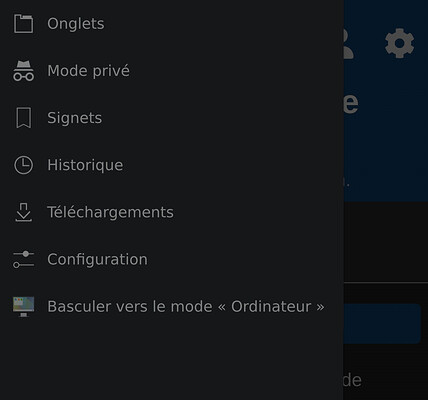
Now if you start a Qt 6 application again, like Angelfish, it will be using a dark background.
It exists other themes for Qt 6 with dark variations (like Material or Universal), but icons are not installed for them.