Qt 6 experimental
@piggz and @rinigus have launched another effort on chum to make more modern kde apps built with qt6 available via the chum repos on jolla's obs build server. Here we document some useful apps and how to install them.
Early access to Qt 6 libraries and apps
Currently (January 2026) the repositories need to be added "manually" from a terminal session either from the Terminal application or an SSH connexion.
Follows an example of how to install the application Angelfish, a Chrome-based web-browser that is fairly modern (and all its dependencies)
First you need to add two repositories:
devel-su ssu ar "piggz-qt6-apps" "https://repo.sailfishos.org/obs/home:/piggz:/qt6apps/sailfish_latest_aarch64/"
devel-su ssu ar "piggz-qt6sb2" "https://repo.sailfishos.org/obs/home:/piggz:/qt6sb2/sailfish_latest_aarch64/"
Then you have to reload your repositories catalogs, and install qt-runner-qt6 and angelfish:
devel-su pkcon refresh
devel-su pkcon install qt-runner-qt6 angelfish
You'll get 2 new icons:
- one green with big Qt letters, it's Qt-runner;
- and a blue and yellow fish, it's Angelfish.
First open Qt-runner and sets the "Override DPI" setting between 280 and 320 (with a Sony Xperia 10 III, I use 300). Apply your choice swyping from left to right.
Then you can start Angelfish and browse the web.
The following page lists more Qt 6 / KDE Plasma mobile applications available.
Qt 6 / KDE Apps
A number of apps are available
| amber-mpris-qt6 |
| angelfish |
| kasts |
| kde-itinerary |
| keysmith |
| kf6-mpvqt |
| ktrip |
| libass |
| mpv |
| qcoro |
| qmlkonsole |
| supersonik |
| tokodon |
| wave |
Dark theme
When using OLED devices, such as the Sony Xperia 10 II and III, using dark (if not completely black) backgrounds saves a lot of battery. It is because with OLED screens, each pixels are individual LED that can be switched on or off. A black pixel is really a switched-off light. The more black pixels you display the less your screen consumes energy (and the screen is the biggest consumer part of your phone).
KDE Qt 6 applications comes with the Breeze theme in light version, meaning with black letters on dark background. This is the standard because it mimics paper and is read faster by non trained people. A dark version of the Breeze theme exists, and you can install it.
- You'll have to download the definition file : https://github.com/KDE/qqc2-breeze-style/blob/master/style/BreezeDark.colors
- Then copy it to the
/home/defaultuser/.config/folder and renamed it “kdeglobals”. This can be done using the FileManager, or themvcommand in a terminal.
Now if you start a Qt 6 application again, like Angelfish, it will be using a dark background.
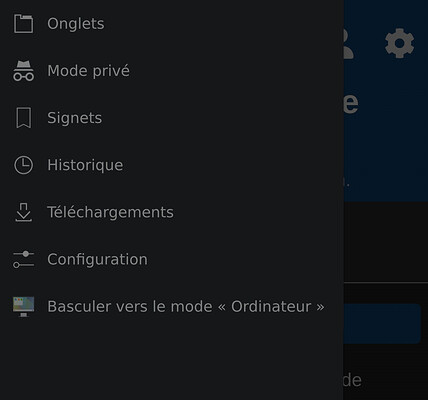
It exists other themes for Qt 6 with dark variations (like Material or Universal), but icons are not installed for them.
Revert modifications
To remove your installations you can use the following commands:
# remove packages
devel-su pkcon remove angelfish qt-runner-qt6
# remove repos
devel-su ssu rr piggz-qt6-apps
devel-su ssu rr piggz-qt6sb2
# update package cache after remove, not really needed
devel-su pkcon refresh